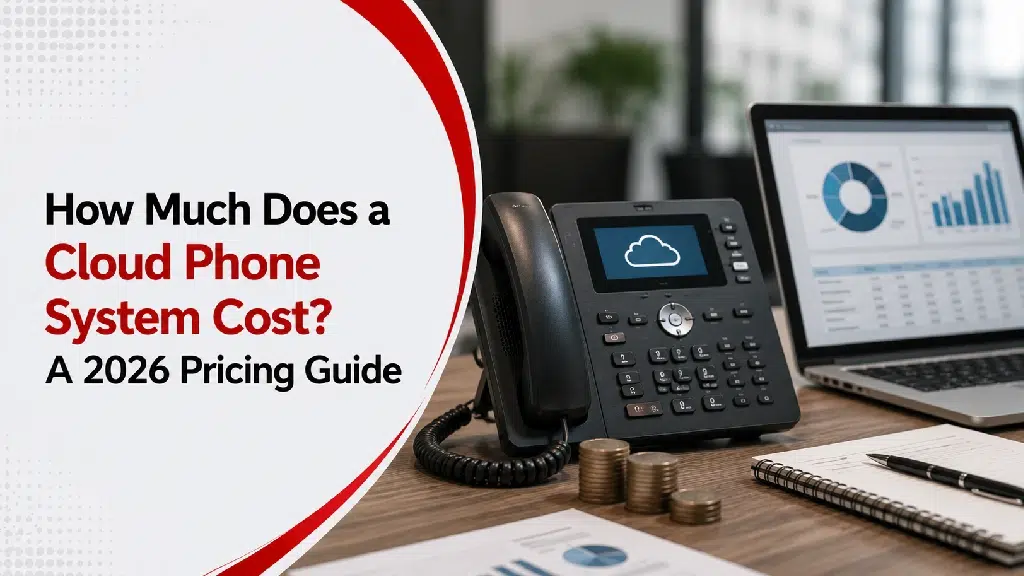
When businesses begin looking at cloud phone systems, one of the first questions is usually:
“How much will it cost?”
It’s a fair question.
But it’s also one that’s difficult to answer with a single number.
A five-person accounting firm has very different communication needs than a manufacturer with multiple facilities or a healthcare provider managing hundreds of daily calls.
Some businesses simply need reliable calling.
Others need:
- call queues
- auto attendants
- mobile apps
- call recording
- CRM integrations
- analytics
- support for multiple office locations
Because of that, cloud phone system pricing can vary considerably.
The good news is that once you understand what influences pricing, it’s much easier to compare solutions and avoid paying for features you don’t actually need.
What Is a Cloud Phone System?
A cloud phone system is a business telephone system that operates over the internet instead of traditional phone lines. To fully understand how this technology works, it helps to explore about unified communications and how it brings different channels together.
Instead of maintaining on-premise PBX equipment, businesses subscribe to a cloud-based communication service.
Employees can make and receive business calls using:
- desk phones
- laptops
- smartphones
- tablets
- softphone applications
The provider manages the underlying infrastructure while the business focuses on communication.
How Cloud Phone Systems Are Typically Priced
Most providers use a subscription model.
Pricing is commonly based on:
- number of users
- selected features
- calling plans
- optional add-ons
Instead of purchasing and maintaining expensive phone hardware, businesses typically pay an ongoing monthly fee for the service. When comparing your options, evaluating VoIP vs. traditional business phones highlights why this subscription model makes costs much more predictable than older setups.
What Affects Cloud Phone System Costs?
Several factors influence the overall investment.
1. Number of Users
The biggest pricing factor is usually the number of employees using the system.
A business with:
- 10 employees
- 50 employees
- 250 employees
will naturally have different licensing costs.
Most providers charge on a per-user basis.
2. Features Included
Not every business needs the same functionality.
Basic plans often include:
- business calling
- voicemail
- caller ID
- mobile apps
More advanced plans may include:
- auto attendants
- call queues
- call recording
- analytics
- CRM integrations
- advanced reporting
If you already use specific productivity tools, you might want to look into specialized VoIP phone solutions that can expand your capabilities. For instance, comparing Microsoft Teams calling vs VoIP can help you decide if integrating your phone system directly into your existing chat and collaboration workspace is worth the investment.
3. Hardware Requirements
Some businesses continue using desk phones.
Others rely almost entirely on laptops and mobile applications.
Potential hardware costs may include:
- IP phones
- headsets
- conference phones
Businesses that already have compatible equipment may reduce upfront expenses.
4. Implementation and Setup
Moving to a cloud phone system may involve:
- number porting
- user configuration
- call routing setup
- voicemail configuration
- employee training
The complexity of the deployment often affects implementation costs. This is especially true when building a business communication setup for multi-location companies, where routing logic across various branches requires careful planning.
5. Internet Connectivity
Cloud phone systems depend on reliable internet service. Some organizations upgrade bandwidth, networking equipment, or wireless infrastructure to avoid common business call quality problems like jitter or dropped audio.
These network improvements should be considered when evaluating the overall investment.
Typical Pricing by Business Size
While every provider structures pricing differently, the following examples illustrate how requirements often change as businesses grow.
Small Businesses (1–20 Employees)
Typical priorities:
- business phone numbers
- voicemail
- mobile apps
- basic call routing
Many small businesses begin with straightforward communication needs and expand features over time.
Growing Businesses (20–100 Employees)
Additional requirements often include:
- call queues
- auto attendants
- Microsoft Teams integration
- reporting
- department routing
As teams transition out of the office, understanding how VoIP supports hybrid and remote teams becomes a major priority for maintaining productivity.
Larger Organizations (100+ Employees)
Common priorities include:
- advanced analytics
- call recording
- multiple locations
- centralized administration
- CRM integration
- compliance features
Enterprise communication often requires more sophisticated management capabilities.
Costs Beyond the Monthly Subscription
When comparing providers, don’t focus solely on the advertised monthly price.
When comparing providers, don’t focus solely on the advertised monthly price. Also consider:
- Implementation: How much work is required to deploy the system?
- Training: Will employees need instruction on new features?
- Hardware: Do existing phones remain compatible?
- Network Upgrades: Will your current internet connection support the new system?
- Ongoing Support: What level of technical support is included?
Looking at the total cost provides a more accurate comparison.
Can a Cloud Phone System Save Money?
For many businesses, cost savings come from more than lower phone bills.
Organizations often reduce expenses related to:
- PBX maintenance
- hardware replacement
- additional phone lines
- office moves
- system upgrades
Upgrading to modern VOIP services also makes it much easier to add new employees and locations, which can reduce operational costs over time.
Furthermore, migrating to the cloud is an excellent strategy to reduce communication downtime because cloud architecture keeps your system running even if a local power outage hits your physical office.
Don’t Choose Based on Price Alone
The least expensive solution isn’t always the best value.
Imagine choosing a phone system that lacks:
- mobile access
- call routing
- voicemail to email
- business hours settings
The monthly cost might be lower, but employees could spend more time working around limitations.
While saving money is important, you must also look out for hidden risks. Shifting to cheaper, unverified platforms can expose your business to significant VoIP security risks like call tampering or data breaches. A communication system should support the business securely—not create additional problems.
Questions to Ask Before Comparing Providers
Before requesting quotes, consider:
- How many employees need phone service?
- Do employees work remotely?
- Do we need desk phones?
- Will we integrate with Microsoft Teams or CRM software?
- Are we planning to grow?
- What communication challenges are we trying to solve?
Having clear requirements makes it easier to compare providers fairly. If your communication needs are highly unique, you might even consider whether generic software fits your operations, or if it’s time to weigh custom software vs off-the-shelf software for your broader business tools.
Signs It’s Time to Upgrade
Businesses often begin researching cloud phone systems when they notice clear signs a business phone system is outdated. Common pain points include:
- increasing maintenance costs
- poor support for remote work
- outdated hardware
- limited scalability
- inconsistent customer experiences
If your current system creates more frustration than value, modernization may be worth exploring.
Final Thoughts
Cloud phone system pricing varies because every business communicates differently. A small office may need only reliable calling and voicemail. A growing organization may require advanced routing, collaboration tools, analytics, and integration with other business systems.
Rather than asking, “What’s the cheapest cloud phone system?”
A better question is:
“Which solution supports the way our business communicates today—and how we expect it to communicate in the future?”
When communication tools align with your specific goals, the investment delivers value far beyond the monthly subscription. If you are ready to map out a tailored solution for your organization, feel free to reach out to our team at Sierra Experts or directly contact us today to discuss your infrastructure needs.
Frequently Asked Questions
How are cloud phone systems priced?
Most providers use monthly subscription pricing based on the number of users and selected features.
What affects cloud phone system costs?
Factors include user count, features, hardware, implementation, internet infrastructure, and ongoing support.
Can businesses keep their existing phone numbers?
Yes. Most cloud phone providers support number porting from existing systems.
Do businesses need desk phones with cloud phone systems?
No. Many organizations use laptops, smartphones, or softphone applications instead of traditional desk phones.
Are cloud phone systems suitable for small businesses?
Yes. Cloud phone systems are available for businesses of all sizes and can scale as organizations grow.