
Growth is exciting. A second office opens. Then a third. Perhaps the business acquires another company or expands into a new city. From the outside, it looks like success.
Behind the scenes, however, technology often starts moving in the opposite direction. Each location buys its own computers. Different internet providers are chosen. Software is purchased independently. Employees develop their own ways of working.
Before long, the company isn’t managing one IT environment anymore—it’s managing five or six completely different ones. The problem isn’t immediately obvious because each office continues operating. It’s only when leadership wants to standardize security, roll out new software, or troubleshoot an issue across multiple locations that the cracks begin to show.
That’s why many growing businesses eventually move toward centralized IT management. Not because it’s fashionable, but because it becomes increasingly difficult to grow without it.
What Is Centralized IT?
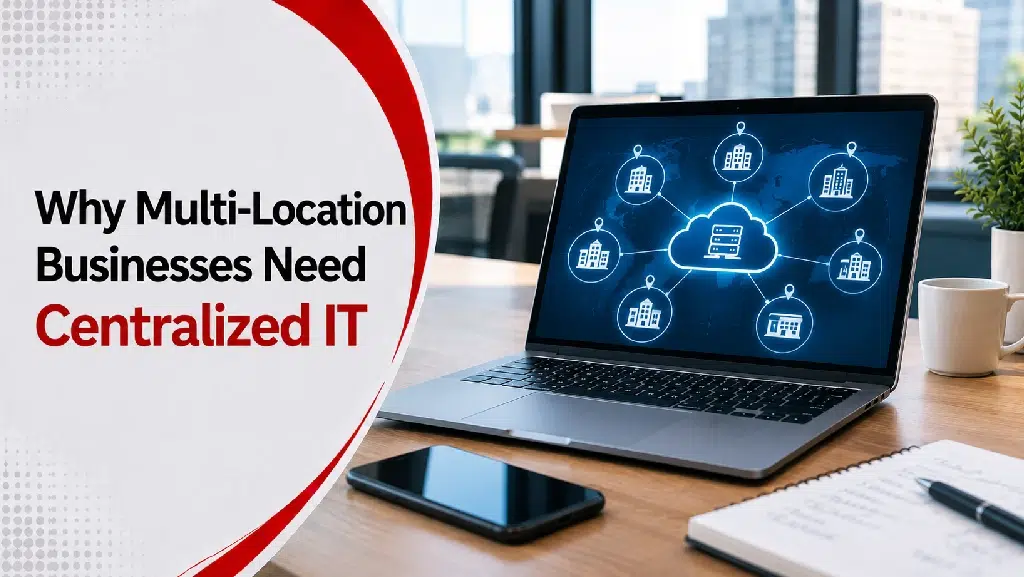
Centralized IT means managing technology across the entire organization using one consistent strategy. Instead of every office making independent technology decisions, systems are managed through shared standards and processes.
That doesn’t mean every location has to look identical:
- A warehouse may have different technology needs than a sales office.
- A manufacturing facility may use different equipment than a corporate headquarters.
Centralized IT simply ensures those differences are intentional rather than accidental.
How Growth Creates Unintended Complexity
A single office can often operate quite successfully with informal processes. When something breaks, someone fixes it. When a new employee joins, IT sets up another computer.
As more locations are added, those simple processes stop scaling. Questions begin to appear:
- Which office is using the latest security policies?
- Why does one location use different software?
- Why are employees having different experiences depending on where they work?
Without common standards, every new location adds another layer of operational friction.
Key Benefits of Centralized IT for Multi-Location Companies
1. Security Becomes Manageable and Consistent
Comprehensive cybersecurity services are one of the primary drivers behind centralizing IT. Imagine trying to answer questions like these across fragmented sites:
- Are all employees using multi-factor authentication?
- Are security updates being installed consistently?
- Does every office follow the same password policies?
- Are backup and disaster recovery plans configured the same way?
If each location manages technology differently, the answers vary from office to office—creating unnecessary vulnerabilities. Centralized IT makes it much easier to enforce security policies and monitoring across the entire organization.
2. Employees Have a Seamless Experience
Technology should help employees work—not force them to learn different systems every time they visit another office. With centralized IT, employees encounter familiar:
- Core software and productivity suites
- Standardized login and access procedures
- Unified communication platforms
- Consistent security policies and support desk processes
That consistency eliminates day-to-day confusion and makes cross-office mobility and onboarding much smoother.
3. Support Becomes Faster and Simpler
One of the hidden costs of decentralized IT is troubleshooting. When an employee calls the help desk, the first question shouldn’t be: “Which office are you in?”
Because decentralized locations use different equipment, every routine problem requires a custom solution. When systems are standardized through managed IT services, support teams spend less time figuring out what technology exists and more time solving the actual issue.
4. New Locations Are Easier to Bring Online
Businesses that expand regularly discover that standardized technology speeds up growth. Instead of making dozens of redundant technology decisions every time a new office opens, the organization works from established playbooks:
- Computers and workstations are configured consistently
- Security protocols and firewalls are pre-defined
- Software licenses are pre-approved
- Employee onboarding processes are repeatable
Expansion becomes far more predictable and cost-effective.
5. Leadership Gains Real-Time Visibility
As businesses grow, leaders need accurate information to make sound capital decisions. Centralized IT provides clear visibility into questions such as:
- What hardware assets do we actually own?
- Which software licenses are active vs. wasted?
- Where are our biggest vulnerabilities?
- Which offices require infrastructure upgrades?
- How is technology performing across the overall business?
Standardization Doesn’t Mean Less Flexibility
Some business owners worry that centralized IT will turn every office into a rigid monolith. That’s rarely the goal. Different locations often have legitimate operational needs.
The objective is consistency where it matters:
- Security & patch management
- Help desk & technical support
- Governance & access policies
- Core hosted infrastructure and colocation networking
- Company-wide communication
This architecture protects the organization while preserving local flexibility where individual workflows demand it.
Signs Your Business Has Outgrown Decentralized IT
Many organizations don’t realize they’ve reached this point until problems become frequent. Common warning signs include:
- Every office uses different hardware and software tools
- Software purchases happen independently without central oversight
- Support quality and resolution times vary wildly between branches
- Security controls and compliance standards are inconsistent
- Onboarding workflows differ from one office to another
- Operational reporting is difficult because data systems don’t integrate
If several of these situations sound familiar, it is likely time to rethink your technology model and explore how a dedicated technology partner like Sierra Experts can streamline operations.
Centralized IT Supports Future Scalability
Perhaps the biggest advantage isn’t solving today’s problems—it’s preparing for tomorrow’s. Whether your business plans to:
- Open additional branch offices
- Acquire another company
- Hire remote and distributed employees
- Expand into new regional markets, such as growing footprints in Pittsburgh and beyond
A unified IT strategy provides a scalable foundation. Technology shifts from being an operational bottleneck into a driver of growth.
Final Thoughts
Managing technology across multiple locations isn’t simply a larger version of managing one office; the complexity grows much faster than the number of physical sites.
Without a centralized strategy, businesses end up maintaining fragmented systems, inconsistent processes, and dangerous security gaps. Centralized IT brings those environments together, establishing consistency where it matters, improving operational visibility, simplifying support, and making ongoing growth sustainable.
Ready to unify your company’s technology footprint? Contact us today to learn how our team can help design a centralized IT roadmap for your business.
Frequently Asked Questions
What is centralized IT?
Centralized IT is the practice of managing technology, security, infrastructure, and support across an organization through consistent standards and processes.
Why is centralized IT important for multi-location businesses?
It improves security, simplifies support, standardizes technology, and makes it easier to manage growth across multiple offices.
Does centralized IT mean every office uses identical technology?
No. Different locations can still have different operational tools. The goal is consistency in areas such as security, support, and infrastructure management.
How does centralized IT improve cybersecurity?
It allows businesses to apply consistent security policies, updates, monitoring, and access controls across all locations.
When should a business consider centralized IT?
Businesses often benefit from centralized IT when they begin operating multiple offices, supporting remote employees, or experiencing inconsistent technology across locations.