A few years ago, solving a business problem was usually straightforward:
- Need a CRM? Buy one.
- Need project management software? Subscribe to one.
- Need appointment scheduling, inventory management, or customer support? There’s probably a SaaS platform for that.
Today, businesses have access to thousands of software applications, and that is exactly where the new challenge begins. Many companies aren’t struggling because they have too little software; they’re struggling because they have too much.
One application manages sales, another stores customer information, a third handles accounting, a fourth manages projects, and a fifth tracks inventory. Before long, employees spend as much time moving information between systems as they do serving customers.
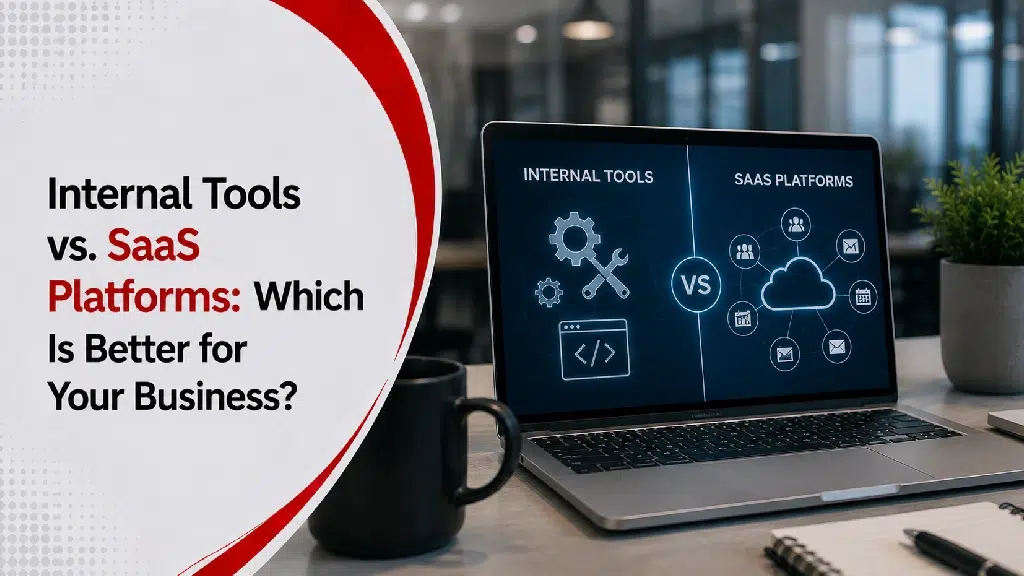
That’s when businesses begin asking a different question: Should we keep adding software, or should we build something designed around the way we work?
What Is a SaaS Platform?
Software as a Service (SaaS) is software that’s hosted by a provider and accessed through the internet.
Instead of installing applications on your own servers, you subscribe to them.
Well-known examples include:
- Microsoft 365
- Salesforce
- HubSpot
- Shopify
- QuickBooks Online
- Asana
The provider manages the infrastructure, updates, and maintenance while customers pay a recurring subscription.
What Are Internal Tools?
Internal tools are software applications built specifically for a company’s own employees and processes. Unlike customer-facing software, these applications are usually designed to improve internal operations.
Examples include:
- employee dashboards
- inventory management systems
- approval workflows
- reporting portals
- scheduling systems
- internal CRMs
- operations dashboards
Some internal tools are developed from scratch through custom software development services, while others evolve gradually as a company grows and its workflows mature.
Why SaaS Works So Well
There’s a reason SaaS has become so popular. For many businesses, it’s exactly the right choice.
Most SaaS platforms offer:
- quick implementation
- predictable monthly pricing
- regular updates
- vendor support
- proven functionality
If your business processes are fairly standard, there’s little reason to reinvent the wheel. Buying software is often faster than building it.
Where SaaS Starts to Show Its Limits
Problems usually don’t appear on day one; they develop gradually as a business grows, processes become complex, and departments require distinct workflows.
You may notice your team saying things like:
- “The software can’t do that.”
- “We have to export everything to Excel.”
- “We use three different systems just to complete one task.”
These are not necessarily signs that the software is bad. They are clear signs that your business needs custom software because your operations have outgrown standard features.
The Hidden Cost of Too Many Platforms
Monthly subscription fees are easy to measure; operational inefficiency is not.
Imagine an everyday workflow requiring an employee to:
- Create a customer in one system.
- Copy information into another.
- Update a spreadsheet.
- Send an email for approval.
- Enter the same information again.
Each step may take only a minute or two, but when multiplied across dozens of employees and hundreds of weekly tasks, the operational cost becomes significant. Sometimes, businesses don’t need more software; they need fewer disconnected systems.
When Internal Tools Make More Sense
Internal software often becomes valuable when the business has developed processes that standard software wasn’t designed to handle.
For example:
- Manufacturing: A production team may require a specialized line-scheduling workflow.
- Healthcare: An organization may require custom compliance and multi-level approval systems.
- Professional Services: A firm may need tailored reporting unavailable in off-the-shelf commercial suites.
Evaluating custom software vs. off-the-shelf software helps clarify whether off-the-shelf limitations are forcing your team into inefficient workarounds. Rather than forcing employees to adapt to software restrictions, custom internal tools are designed to fit how your business operates.
It’s Not Always an Either-Or Decision
One common misconception is that businesses must choose between SaaS and custom software.
In reality, many successful companies use both.
For example, a business might use:
- Microsoft 365 for productivity
- QuickBooks for accounting
- HubSpot for marketing
…while developing a custom internal dashboard that connects all three systems. The internal tool doesn’t replace the SaaS platforms; it serves as the bridge that makes them work seamlessly together. Utilizing comprehensive software development services allows businesses to integrate their software stack effectively.
Questions Worth Asking Before Building Software
Building internal software is a long-term investment. Before committing, consider the following questions:
- Are our current systems limiting productivity?
- Are employees spending too much time on manual work?
- Are we paying for multiple platforms that perform similar tasks?
- Could automation eliminate repetitive work?
- Will these challenges become bigger as the business grows?
Understanding how much custom software development costs and weighing it against your current operational costs makes evaluating your return on investment much clearer.
Think About the Next Five Years
A frequent mistake businesses make is choosing software based strictly on today’s immediate requirements. A better strategy considers where the company plans to be in the next three to five years.
Ask yourself:
- Will we double in size?
- Will we open new locations?
- Will our processes become more complex?
- Will our software still support us then?
Sometimes the cheapest solution today becomes the most expensive solution later because it no longer fits the business.
Don’t Build Software Just Because You Can
Custom software is a powerful asset, but that doesn’t mean every problem requires a custom solution. If an existing SaaS application fully meets your operational requirements, there is rarely value in rebuilding that functionality from scratch.
Custom development creates its greatest return on investment when it solves specific, high-friction problems that commercial software cannot address.
Final Thoughts
SaaS platforms have transformed business technology; they are fast to deploy, cost-effective to start, and capable of addressing common operational needs. However, as organizations grow, standard software can create friction against specialized workflows.
The goal isn’t to replace every software application with a custom alternative; it’s to identify where technology creates bottlenecks and decide whether a tailored solution will drive long-term efficiency.
If you are evaluating your technology strategy or looking to streamline your internal tools, contact Sierra Experts to learn how Sierra Experts can help guide your development decisions.
Frequently Asked Questions
What’s the difference between SaaS and internal tools?
SaaS platforms are subscription-based software products designed for many businesses, while internal tools are built specifically for one organization’s employees and workflows.
Is custom software better than SaaS?
Not always. SaaS works well for standard business needs, while custom software is often better for unique processes or specialised workflows.
Can businesses use both?
Yes. Many companies use SaaS platforms for common functions and custom internal tools to connect systems or support unique operations.
When should a business build an internal tool?
It may be worth considering when manual work, disconnected systems, or software limitations begin affecting productivity and growth.
Is building custom software expensive?
The investment varies depending on the complexity of the project, but many businesses evaluate it based on long-term operational savings and efficiency gains.